
How to share videos via Google Drive (for student access remotely – no sign-in required)
You can share video files with students remotely using Google Drive (sharing access) with no sign-in required.
Step 1. Upload the video file to My Drive.
Step 2. Right click and select the ‘Share’ link.
Step 3. In the Share with others tab, select ‘Advanced’.
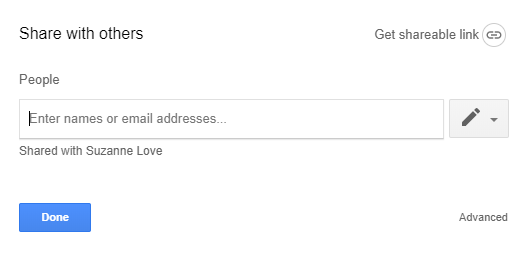
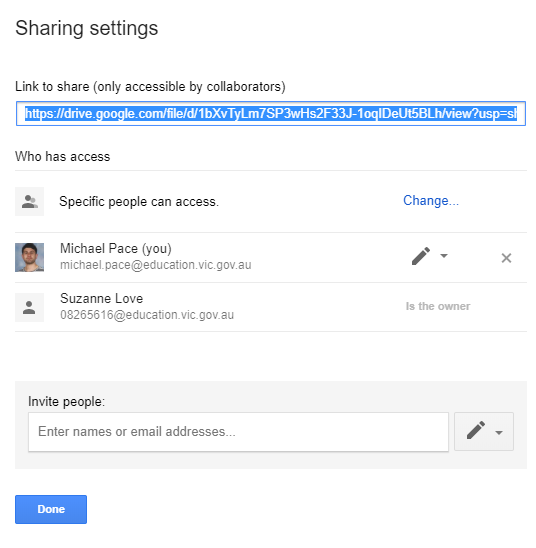
Step 4. Select ‘Change’ to access the link sharing permissions.
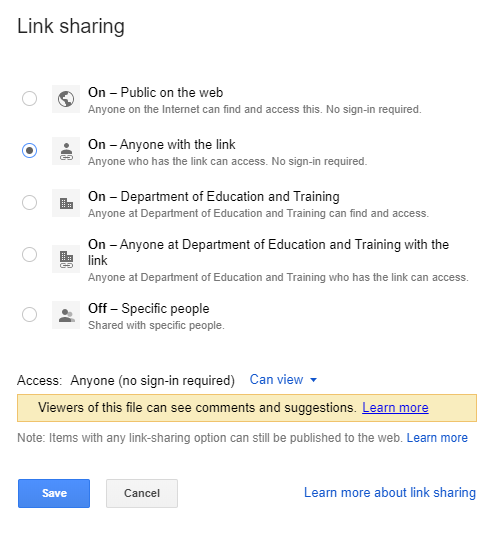
Step 5. To have student access (No sign-in required) to the video file, select On – Anyone with the link.
Step 6. Then you can copy the link and use with Compass and other learning apps.
